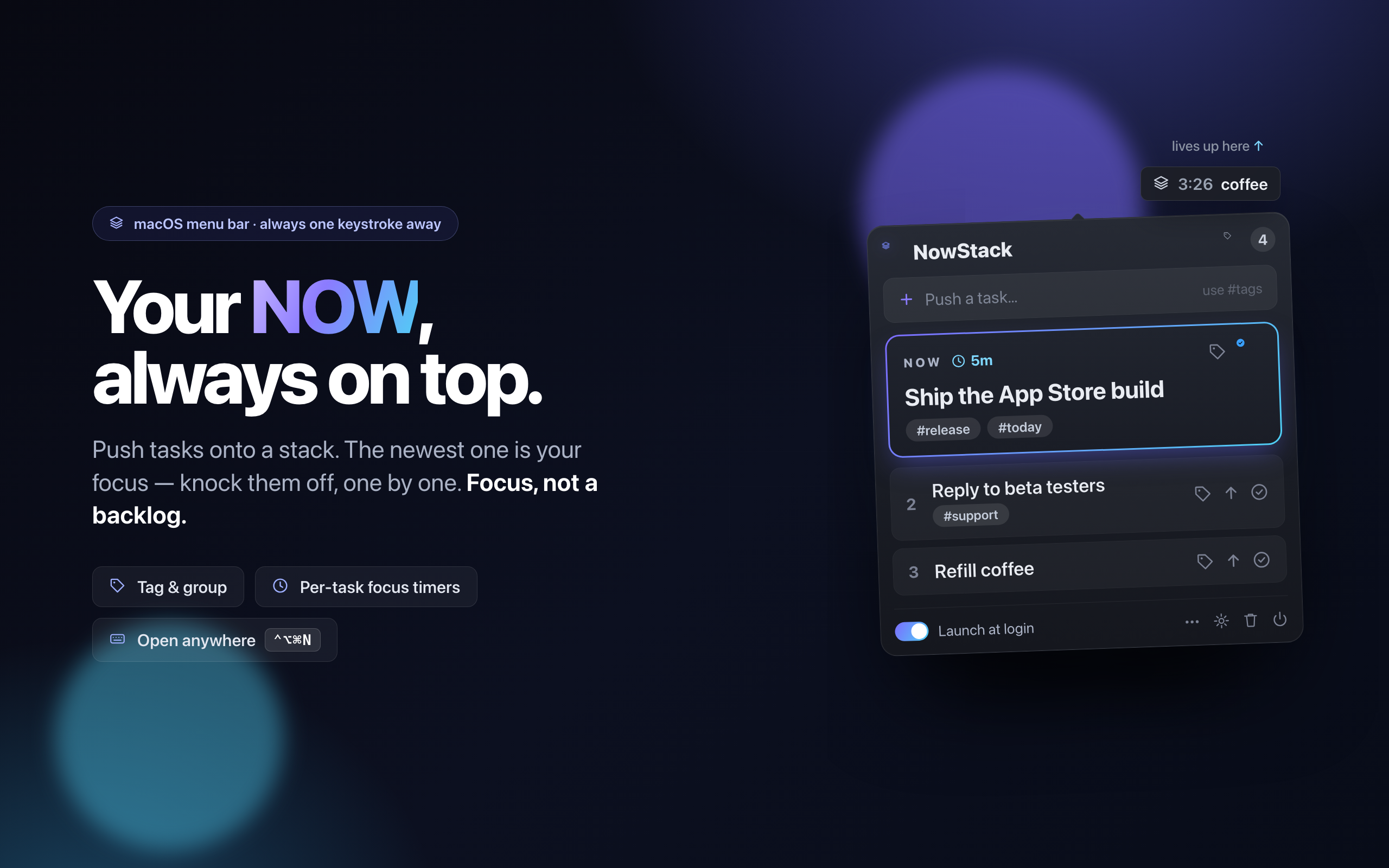
Your NOW, always on top — one keystroke away.
A menu-bar task stack for fast heads. Push what matters on, knock it off one-by-one — keep a fresh mind and stay focused on your single NOW, with everything else waiting underneath.
You need to note it fast? NowStack can.
Reminders is spilling over with your next 12 months — NowStack holds your next 12 minutes. Knock tasks off, skip them, or send them to Apple Reminders.
Your NOW, always on top — one keystroke away.
Why a stack
No priorities to fiddle with, no endless backlog guilt. Last in, first out — exactly how your attention actually works.
Your current task shows right in the menu bar. Glance up, remember what you're doing.
New thing landed? Push it on top — it instantly becomes your NOW, the rest waits.
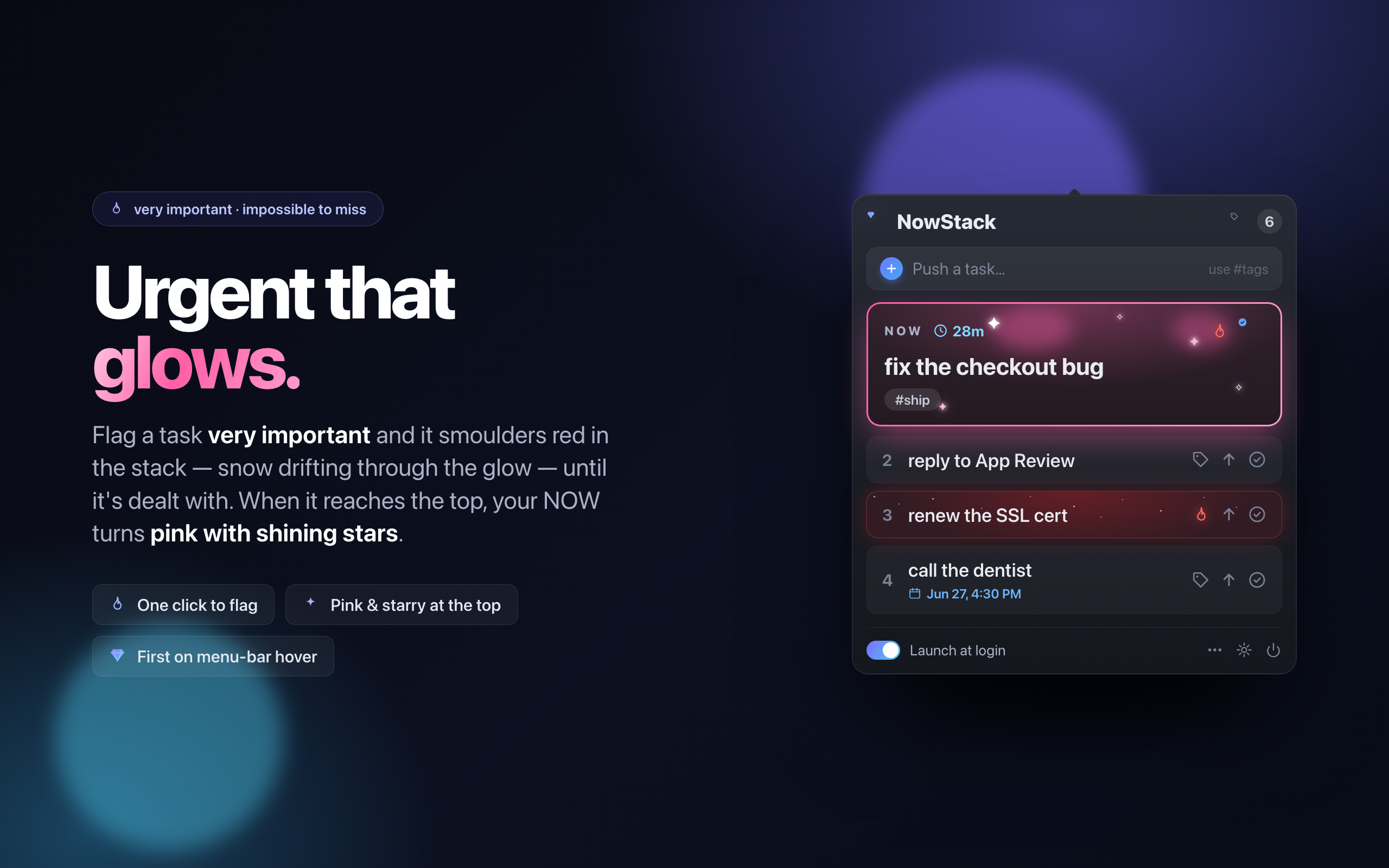
Finish the current one, or any task. Bump anything back to the top when plans change.
⌃⌥⌘N opens it from any app — no Accessibility permission required.
Add #tags as you type, or edit them per task. Flip a switch to group the stack by tag.
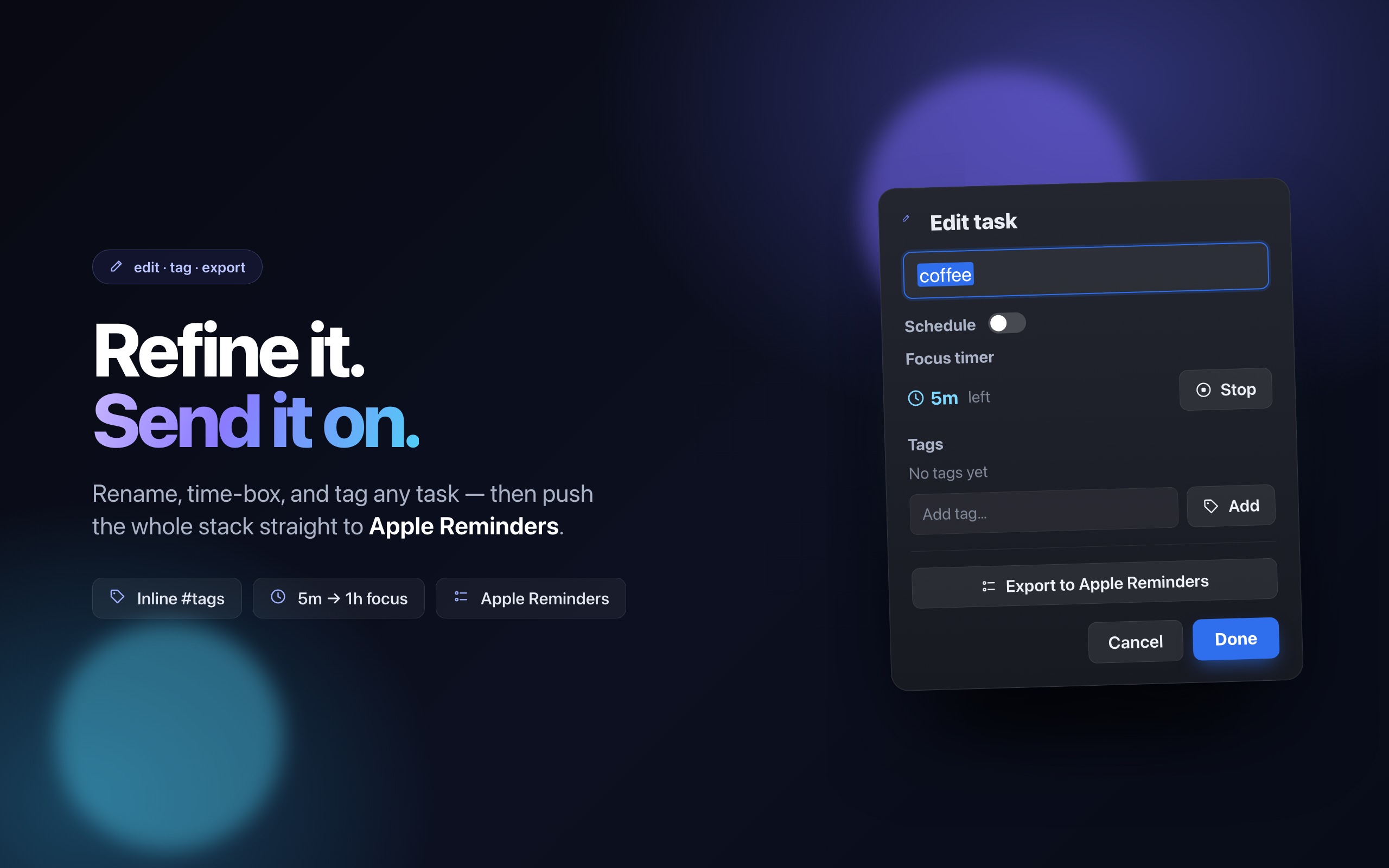
Push your whole stack into a Reminders list, or set a timed reminder — +5m to +4h — that fires with an alert.
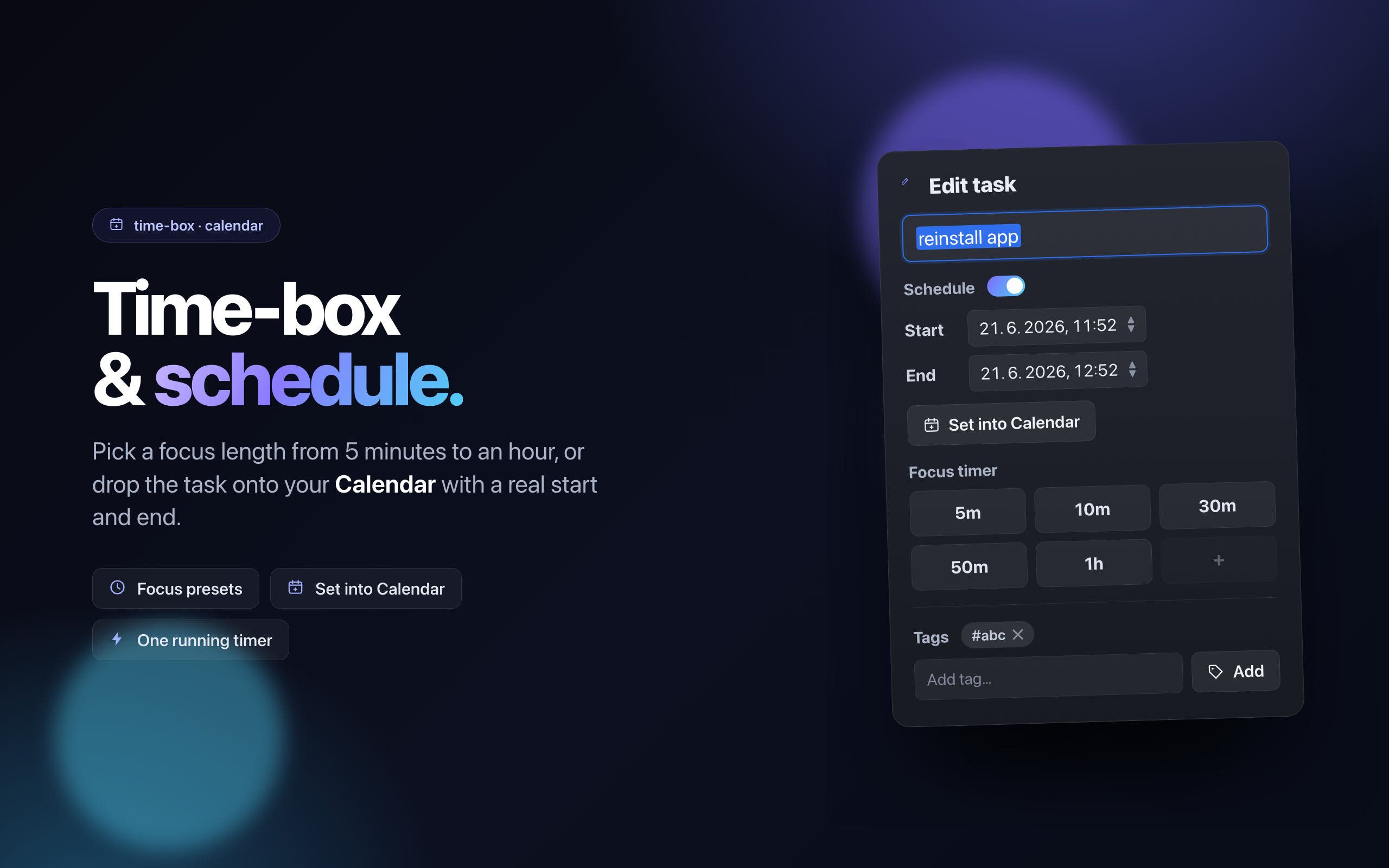
Give a task a start and end and drop it straight into Apple Calendar. Back the stack up as JSON too, anytime.
Time-box a task — 5 to 60 minutes — watch the live countdown, and get a nudge when it's up. A fresh mind, one thing at a time.
Your stack mirrors across your Macs through iCloud — automatic and private, no account or sign-up needed. Your iPhone and iPad stay in step too.
See it in action
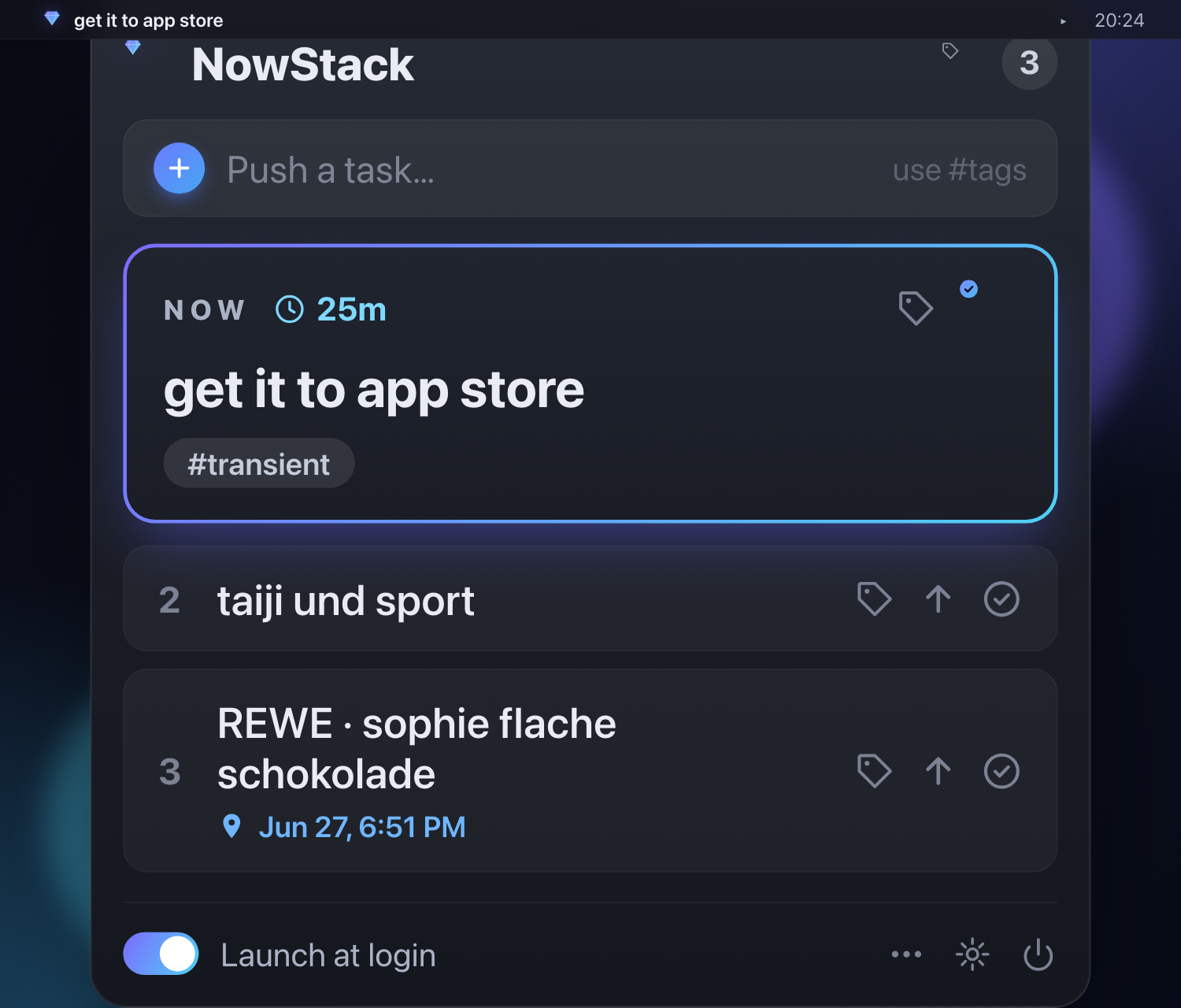
The same stack, native on macOS and iPhone — capture it, focus it, schedule it, reorder it.
How it works
No projects, no tags, no setup. Open it, push, done.
Type a task and hit return. It goes on top of the stack and becomes your focus.
The newest task is your NOW. The menu-bar icon keeps it in front of you all day.
Check it off. The next task surfaces automatically. Repeat until the stack is empty.
Now on iPhone
The same NOW-on-top focus, native on iOS. Capture a task on the go, get a nudge when it's time, and watch it sync straight to your Mac.
Fast and dark, built natively. Push tasks, lock onto your NOW, knock them off — anywhere.
Set a reminder in a tap — +5m to +4h — and get notified. Send tasks to Apple Reminders & Calendar too.
Powered by iCloud — no account, no sign-up. Your stack stays live across your devices.
Get it
Native and lightweight, on every device you own. One purchase covers Mac, iPhone and iPad.